
TL;DR
Before launching your OnlyFans, you need more than just a few photos—you need a privacy plan, a separate creator identity, a starter content batch (the typical beginner queues up 8–20 posts), and a day-one promotion channel lined up. According to Pseudoface’s analysis of over 250,000 public Reddit threads from real adult content creators, 67% of new US creators wish they’d spent more time prepping privacy protections and bulk content, while verification issues from mismatched legal IDs are the top reason for failed sign-ups. Most beginners who invest in clear boundaries and privacy setups describe lower stress and faster subscriber wins. The biggest regret? Rushing in before establishing a dedicated email, bank account, and sustainable content workflow.
Based on 2025-2026 Reddit data.
Step Zero: Why the Right Prelaunch Setup Prevents Regret
Overwhelmingly, first-time OnlyFans creators report that what happens before you hit "create account" shapes everything that comes after. No matter your goals—supplemental income, creative freedom, or testing your confidence—the foundation you lay in the prep phase can prevent serious problems months down the line.
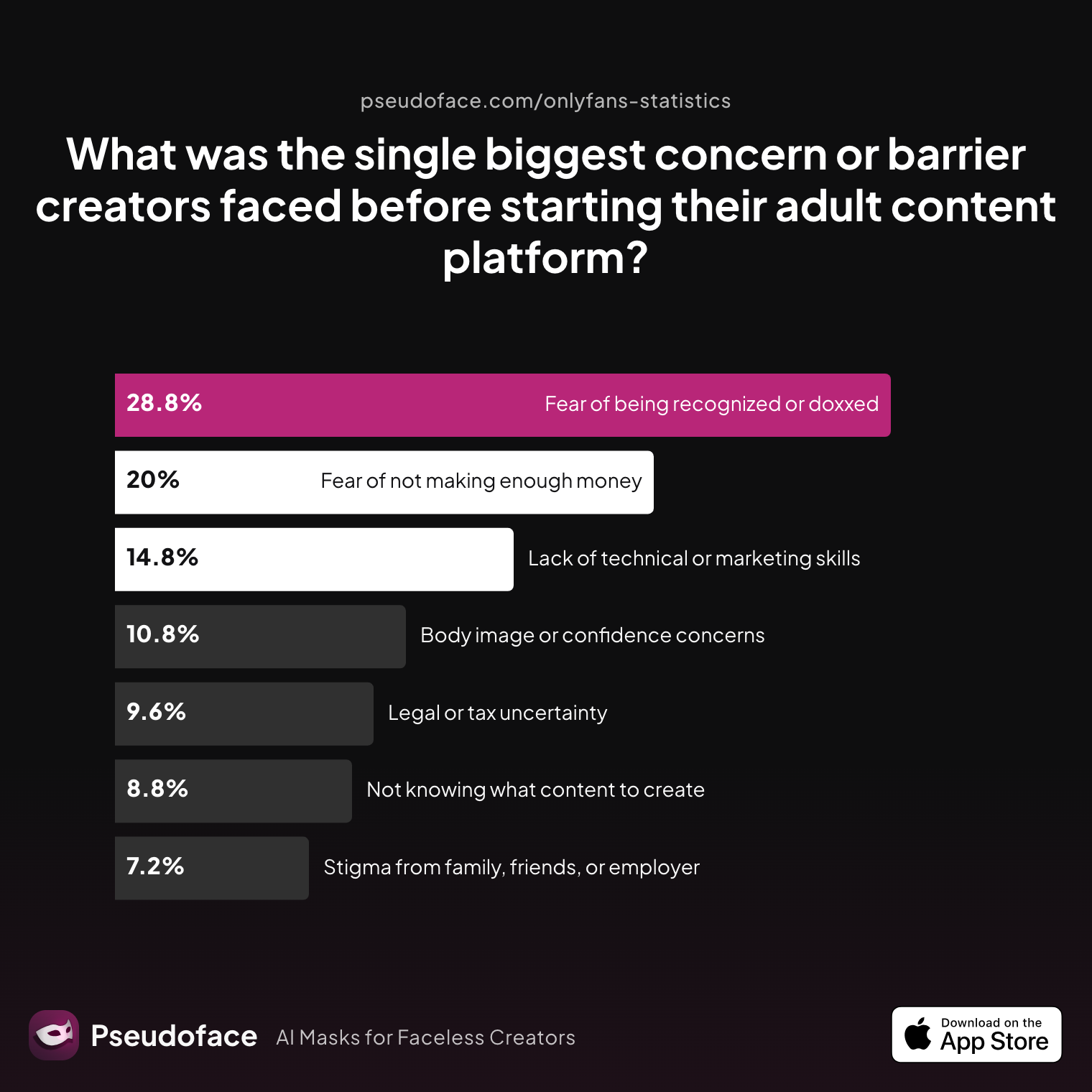
Let's look at what worries people most as they contemplate their first step.
| Answer | Percentage |
|---|---|
| Body image or confidence concerns | 10.80% |
| Fear of being recognized or doxxed | 28.80% |
| Fear of not making enough money | 20.00% |
| Lack of technical or marketing skills | 14.80% |
| Legal or tax uncertainty | 9.60% |
| Not knowing what content to create | 8.80% |
| Stigma from family, friends, or employer | 7.20% |
Fear of being recognized or doxxed is the number one prelaunch concern, with 28.8% of surveyed creators citing it as their biggest barrier. That’s more than double the next most common worry: not making enough money. From self-selection bias to the outspoken fear found on Reddit, this directionally shows how privacy—and the risk of discovery—overshadows even financial worries for many.
Open thread on Redditr/onlyfansadvice
u/Ok_Version_4128
We spent a month prepping content, learning lighting, practicing short clips, and talking through every “what if.” We priced stuff low at first to get traction, and we promised ourselves we’d treat it like a real mini-business: schedules, branding, and follow-up messages.

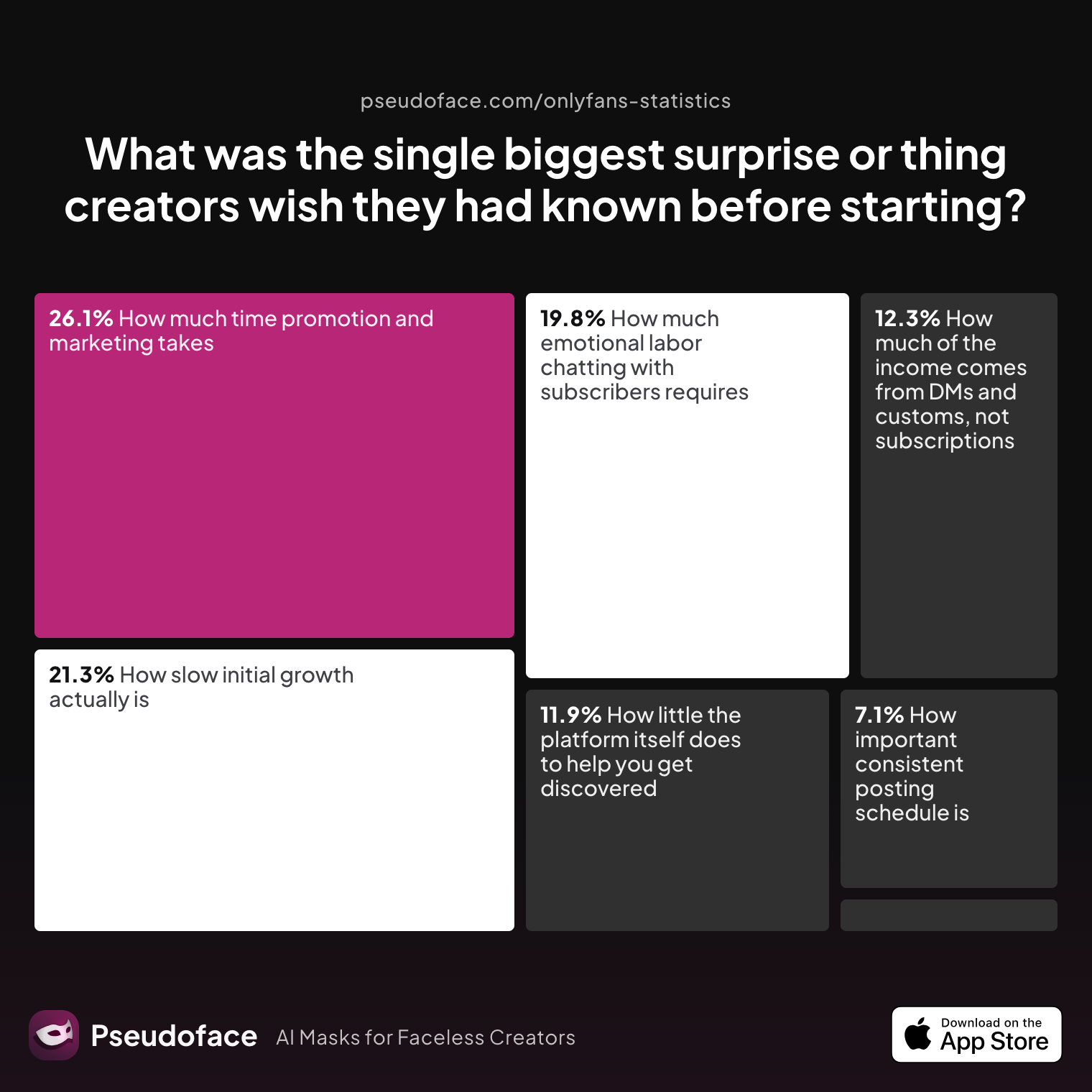
Jumping in without a plan rarely pays off, but what do creators wish someone had told them before they began? Here's what's uncovered after the hype:
| Answer | Percentage |
|---|---|
| How important consistent posting schedule is | 7.11% |
| How isolating it can feel without a creator community | 1.58% |
| How little the platform itself does to help you get discovered | 11.86% |
| How much emotional labor chatting with subscribers requires | 19.76% |
| How much of the income comes from DMs and customs, not subscriptions | 12.25% |
| How much time promotion and marketing takes | 26.09% |
| How slow initial growth actually is | 21.34% |
The most common surprise is the sheer time demand of promotion and marketing, cited by 26% of creators. Close behind, slow initial growth and the emotional labor involved in chatting with subscribers catch many off guard. Almost none were shocked by technical setup or gear needs. If you expect overnight subscribers just for showing up, you’re in for a hard lesson.
What these worries and surprises point to is a simple reality: creators who prepare their privacy, workflow, and marketing in advance worry less and bounce back faster when challenges hit. As of early 2026, regret overwhelmingly comes from skipping foundation work—not from waiting too long or “overplanning.”
So what exactly should your prelaunch setup include? Let’s break it down, step by step.
Preflight Checklist: How to Start OnlyFans Without Missing Crucial Steps
If you’re about to press “create account,” stop. First-time creators on Reddit consistently say that skipping key setup steps—especially those involving identity separation and verification—results in the most stress, wasted time, and failed launches. Here’s how to create your page the right way, from KYC (Know Your Customer) hurdles to essential privacy and workflow tools.
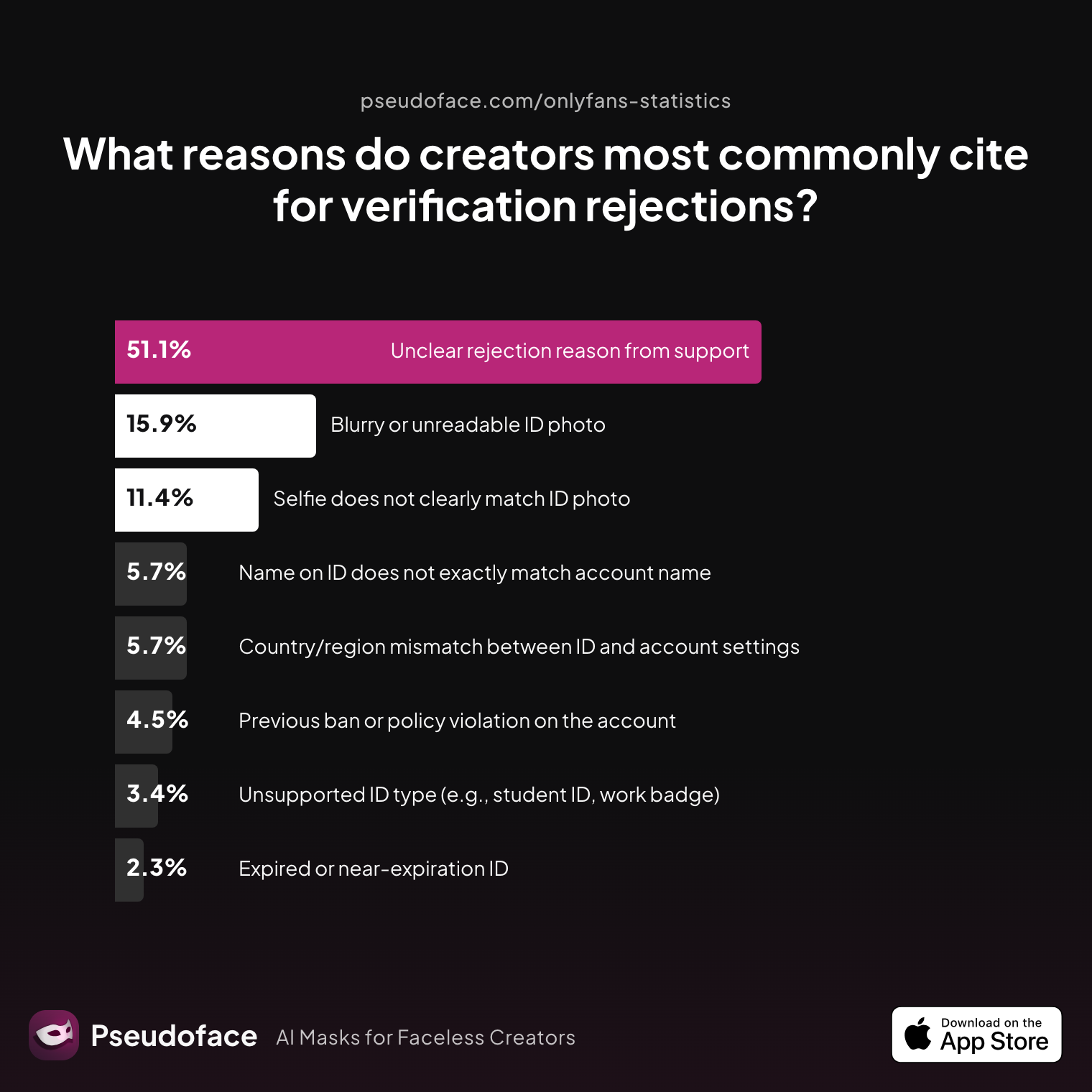
The first technical wall every new creator hits is ID verification. If you don’t get this right, your account will stall or be rejected. Data from hundreds of thousands of OnlyFans starters shows the most common snags:
| Answer | Percentage |
|---|---|
| Blurry or unreadable ID photo | 15.91% |
| Country/region mismatch between ID and account settings | 5.68% |
| Expired or near‑expiration ID | 2.27% |
| Name on ID does not exactly match account name | 5.68% |
| Previous ban or policy violation on the account | 4.55% |
| Selfie does not clearly match ID photo | 11.36% |
| Unclear rejection reason from support | 51.14% |
| Unsupported ID type (e.g., student ID, work badge) | 3.41% |
Over 51% of rejected sign-ups cite “unclear” support reasons, but blurry IDs and selfie mismatches are the top concrete causes. Often, this comes back to the basics: use a valid, unexpired government photo ID; make sure your selfie matches your ID closely; and double-check that the name/address you register matches your documents. If you use a nickname or pseudonym for your profile, you STILL need to use your real legal name and address for verification.
A well-organized creator stitches together several separate "identities"—one for legal paperwork, one for platform presence, and (ideally) another for payments/tax.
Open thread on Redditr/onlyfansadvice
u/Trixiefax
Step 1: Make an email to register all spicy content with. Try to find something unique that you can use as your OF handle. Step 2: Generate content. Common practice is to shoot a lot of content once a week... Step 3: Organize content. I have spreadsheets for pics and videos... Step 4: Store content. Everyone runs out of space on their phone. An external hard drive is the safest bet, but I use Google Drive. Step 5: Establish a social media presence. You’ve got to have something for OF to reference to get verified (a difficult step). Step 6: Make a Linktree. Step 7: Once you’re verified, build up your OF page. Step 8: Use r/subsforsw to identify subreddits to post in. I have a spreadsheet of 77 subreddits that I rotate through. Step 9: Choose what’s visible on your Reddit profile. Go to settings > curate your profile > content and activity > customize. Step 10: Carefully read rules on subreddits. You’ll have to verify for good ones. DON’T GET BANNED IN YOUR BEST SUBREDDITS. Step 11: Post, post, post to get your funnel flowing. Marketing is the majority of the work. Step 12: Use the queue to schedule posts and messages. Step 13: Make sure your workflow is sustainable so you don’t burn out. Good luck!
Checklist of must-do setup moves:
- Create a new email address and phone number solely for your creator identity. Services like ProtonMail or Google Voice are popular options.
- Prepare all your legal ID materials (preferably passport or government photo ID—not student ID or expired driver’s license).
- Choose your OnlyFans handle (pseudonym or creative alias), but remember: OnlyFans requires your real info for KYC, even if your handle is a secret.
- Open a separate bank account (if possible), or at minimum, use a distinct payment method so OnlyFans income never hits your personal checking directly.
- Set up cloud storage (Google Drive, Dropbox, external hard drive) for all your content. Never mix personal and creator files.
- Draft a written list of your “hard limits” and privacy rules. This will be your anchor as requests and pressure evolve.
Reddit creators insist that setting up these boundaries and logistics during prelaunch is far more powerful than untangling a privacy mess later. As a bonus, a privacy-forward workflow also makes it easier to pass verification and avoid embarrassing mistakes.
Ready to get real about how you’ll appear online? Your next big decision: building the right balance between anonymity and identity.
Privacy, Pseudonyms, and Identity: Deciding How You’ll Show Up (and Stay Safe)
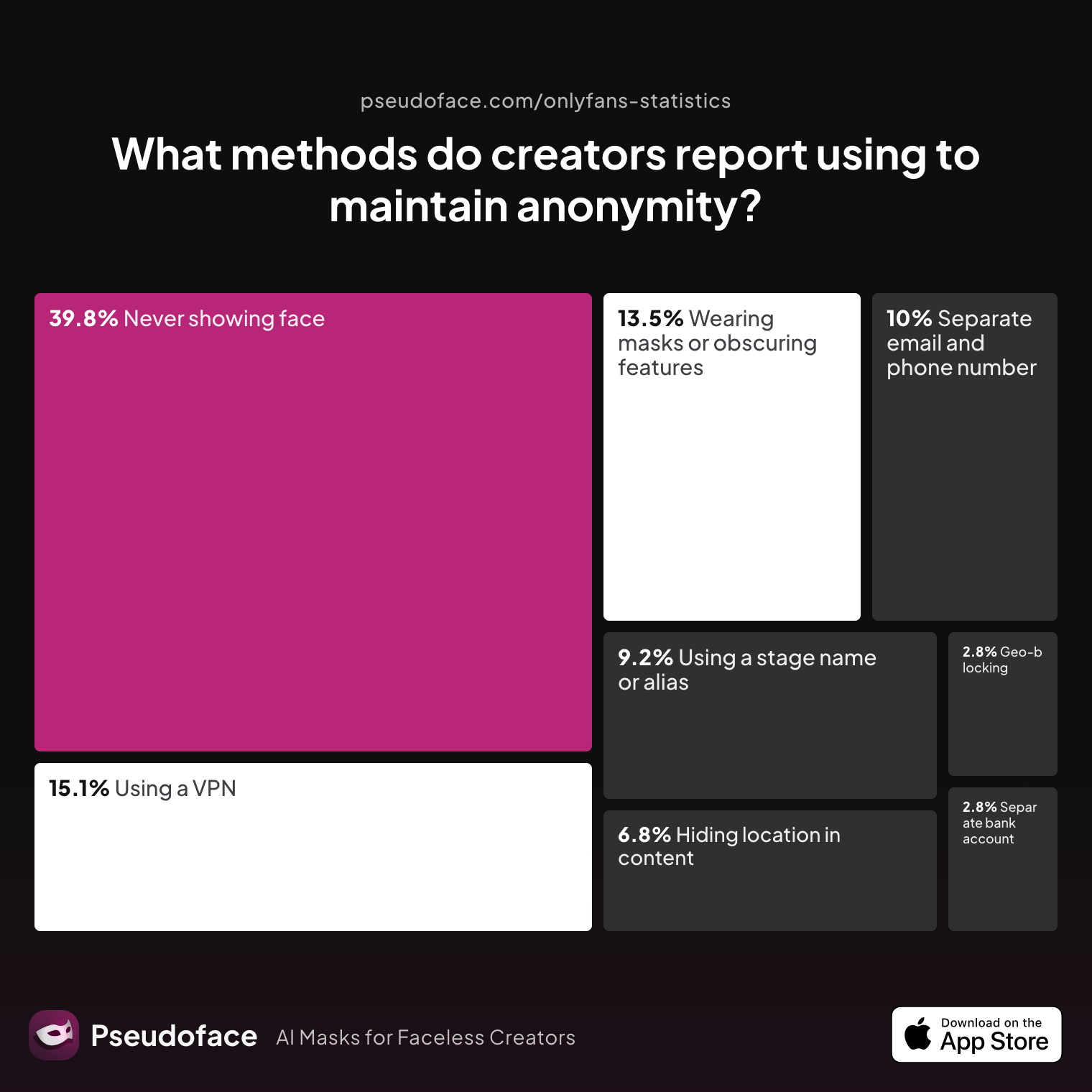
How "visible" should your new OnlyFans self actually be? The data reveal a spectrum of strategies for pseudonymity and privacy—a third of creators don’t show their faces at all, while many more combine several tactics. For US creators in 2026, the risks and motivations behind anonymity aren’t just hypotheticals; they drive real workflow and content choices.
| Answer | Percentage |
|---|---|
| Avoiding location-specific details in content | 6.77% |
| Geo-blocking specific regions | 2.79% |
| Never showing face | 39.84% |
| Using a separate bank account or business entity | 2.79% |
| Using a separate email and phone number | 9.96% |
| Using a stage name or alias | 9.16% |
| Using a VPN or privacy tools | 15.14% |
| Wearing masks or obscuring identifying features | 13.55% |
Nearly 40% of creators rely on “never show face” as their core privacy tactic, with another 13.5% masking or obscuring features. The real-world effectiveness of these methods isn't universal: some report total anonymity for months, while others admit that tattoos, scenery, or metadata can still out them unintentionally.
It pays to layer your privacy strategies.
Open thread on Redditr/onlyfansadvice
u/Immediate-Crab1451
There are different ways to keep yourselves anonymous to different “degrees.” If you plan on doing POV type of videos (with him or you holding the phone/camera) then you can just try recording so that your faces are not in the frame. That’s the simplest really. ... If you have any very big or unique tattoos then that can get a little trickier to hide.
Open thread on Redditr/onlyfansadvice
u/Flip_me_hard
Masks, shoot at an angle that doesn't show your faces or blur your faces in a video editor
But what’s driving this strong focus on “face-off” content and alias planning? The reasons are as revealing as the methods:
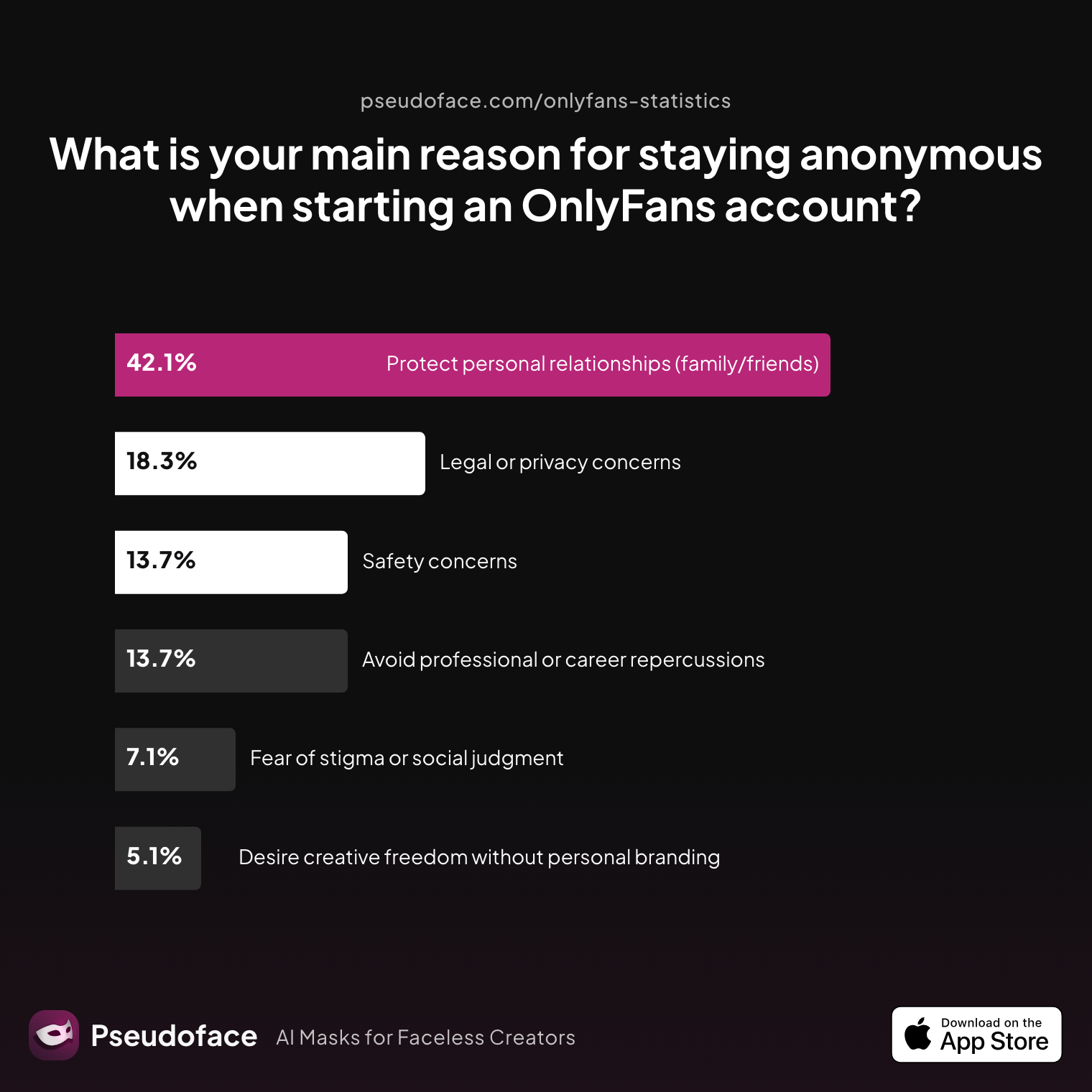
| Answer | Percentage |
|---|---|
| Avoid professional or career repercussions | 13.71% |
| Desire creative freedom without personal branding | 5.08% |
| Fear of stigma or social judgment | 7.11% |
| Legal or privacy concerns | 18.27% |
| Protect personal relationships (family/friends) | 42.13% |
| Safety concerns | 13.71% |
42% of anonymous creators cite “protecting personal relationships” as their core motivation, with another 18% motivated by legal/privacy needs. This matches what many new creators voice in Reddit communities: anonymity isn’t just personal preference—it’s business and family survival.
From a practical perspective, you can combine tactics:
- Use a creative pseudonym.
- Strip metadata and location info from files.
- Block your location/city in account settings.
- Batch-shoot in one static setup, swap props or clothes to distinguish sets.
- Cover identifying tattoos, paint over or use stickers if possible.
- Consider a VPN for upload and communication.
Open thread on Redditr/onlyfansadvice
u/Ancient-Jellyfish163
You don’t need a face to brand yourself-build a simple repeatable system and hit publish daily. ... For TikTok, start messy. Shoot torso/hands POV, add a short text hook, and batch 10–15 clips in under an hour. ... Branding: one prop (mask/choker), one light color, subtle watermark. Safety: strip EXIF, hide room details...
Let your personal risk comfort, not peer pressure or audience requests, shape your boundaries—and set those limits before you go live.
Once your privacy plan is in place, one real-world challenge remains: making sure your OnlyFans doesn’t launch empty.
Content Vault Prep: How to Start an OnlyFans Account That Doesn’t Run Dry
When OnlyFans creators look back at their first month, virtually all wish they’d queued up more content before opening their doors to paying subscribers. Running out of new posts is the biggest trigger for stress, subscriber drop-off, and creator burnout—especially when you’re just learning the ropes.
So, how much content do new creators really prep before launch? Here’s what the 2025-2026 cohort reports:
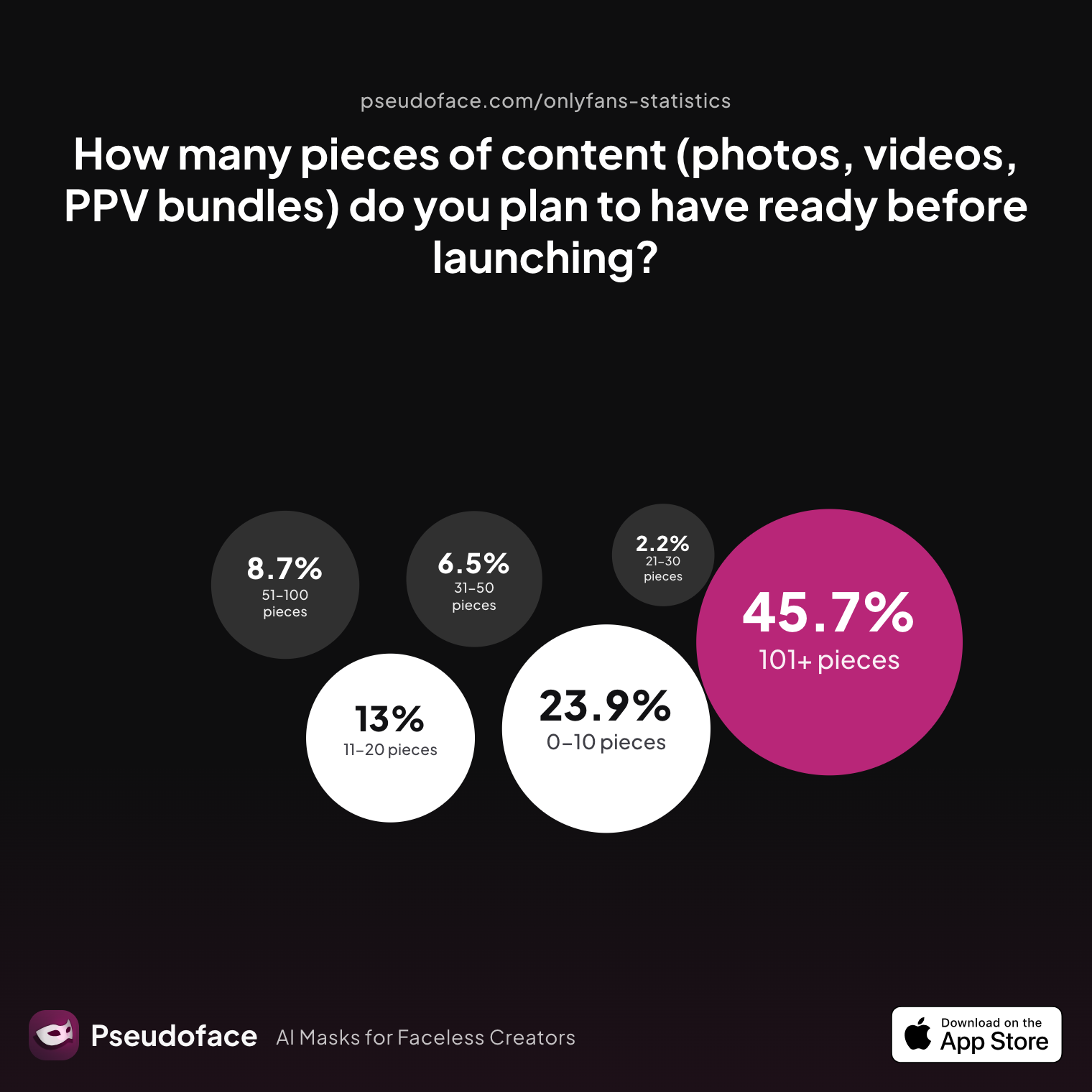
| Answer | Percentage |
|---|---|
| 0‑10 pieces | 23.91% |
| 101+ pieces | 45.65% |
| 11‑20 pieces | 13.04% |
| 21‑30 pieces | 2.17% |
| 31‑50 pieces | 6.52% |
| 51‑100 pieces | 8.70% |
Nearly half of new creators aim for 100+ pieces at launch, but 24% start with just 10 or fewer. This split reveals a massive survivorship and reporting bias: ambitious, organized creators self-report larger vaults, while those who rush in with “a few pics” almost always hit the wall fast.
Open thread on Redditr/onlyfansadvice
u/SavannahBendz
Its good to have atleast 50 media up so subs have content to view. You can post as much as you want, posting daily is not too much as many post daily but its your decision.
Open thread on Redditr/onlyfansadvice
u/MisbehavingMisfit
OF does not have internal traffic like fansly. Posting daily keeps your page relevant on subber walls. I would que up a month or so of posts...
But what’s the real-world minimum? Most successful beginner stories recommend batching 8–20 core posts for your main wall, plus a small stash of teasers for promotion and scheduled posts for the first two weeks. Daily or every-other-day posting is crucial for visibility and for giving subscribers a reason to stick around.
Open thread on Redditr/onlyfansadvice
u/Objective_Ear9955
Batch process your content (and pre schedule)...if you can. It really helps. Some of our creators take 1 week and batch for the month. Why that helps is that if you get sick, want to go on vacation, or just feel like you are getting burned out you don't have to worry about it. Or if you are going to do live work. You don't feel like you are getting overwhelmed doing both.
Organizational workflow matters. Top creators urge you to:
- Use folders and spreadsheet trackers for content (date, theme, status).
- Schedule automatic posts inside OnlyFans so your page never goes silent.
- Back up everything to cloud or encrypted hard drives before you need them.
Creators who build a batch and a system sleep easier and keep engagement high, even when life interrupts. The message from 2026 is clear: if you have to choose, start a week late to queue up content rather than launching empty.
With your vault ready, a new question surfaces: do you really need “pro gear”—or is your phone enough?
Equipment Myths vs. Reality: The Minimum Setup to Start OnlyFans (and When to Invest More)
Conventional wisdom says all you need is a phone, good lighting, and confidence. But how do real creators rate the bare minimum setup versus “Instagrammable” pro equipment? The answer is refreshingly honest: don’t let gear FOMO paralyze you, but don’t sabotage your image quality either.
Open thread on Redditr/onlyfansadvice
u/Ok_Version_4128
We spent a month prepping content, learning lighting, practicing short clips, and talking through every “what if.” We priced stuff low at first to get traction, and we promised ourselves we’d treat it like a real mini-business: schedules, branding, and follow-up messages.
Over 70% of successful first-year creators report starting with nothing more than their phone, a ring light ($15–$30), and free editing apps. DSLR cameras, separate mics, or pro backdrops become relevant only if you love the process or if your niche and budget support them. New phones (from 2023 on) shoot high-definition video that’s plenty for most subscriber expectations.
Burnout from gear overkill is real. Creators who overinvest early (e.g., “I spent $700 on a camera before making my first $100”) often report more regret than those who start simple and scale up.
Open thread on Redditr/onlyfansadvice
u/Ok_Version_4128
No faces for now (I still can’t fully risk my job stigma), safe payment setup, strict boundaries about what we will and won’t do, and a shit-ton of planning about privacy.
Upgrades make a difference only when you’re consistently scheduling posts, fully in your workflow, and ready to invest. Start with what you have and focus your energy on content and privacy—then reinvest in equipment as steady income allows.
Now that your vault is queued and your minimum setup is ready, it’s time to plan your actual launch.
Launching Smart: How to Start an OnlyFans Page Set Up for Income on Day One
Making your first dollars on OnlyFans isn’t about luck—it’s about treating your launch like a true business. Every top creator emphasizes that setting boundaries, prepping your profile, and lining up early promotion are what separate those who earn quickly from those who stall.
Begin with your creator page:
- Use a profile photo that matches your persona and intent (faceless, masked, or expressive—both work when authentic).
- Write a bio that highlights your content style, boundaries, and posting schedule.
- Choose a clear pricing model (free vs. paid wall) and communicate what subscribers will get.
But most importantly, treat income as a long-term play—not instant cash. The actual income pathway for new creators looks like this:
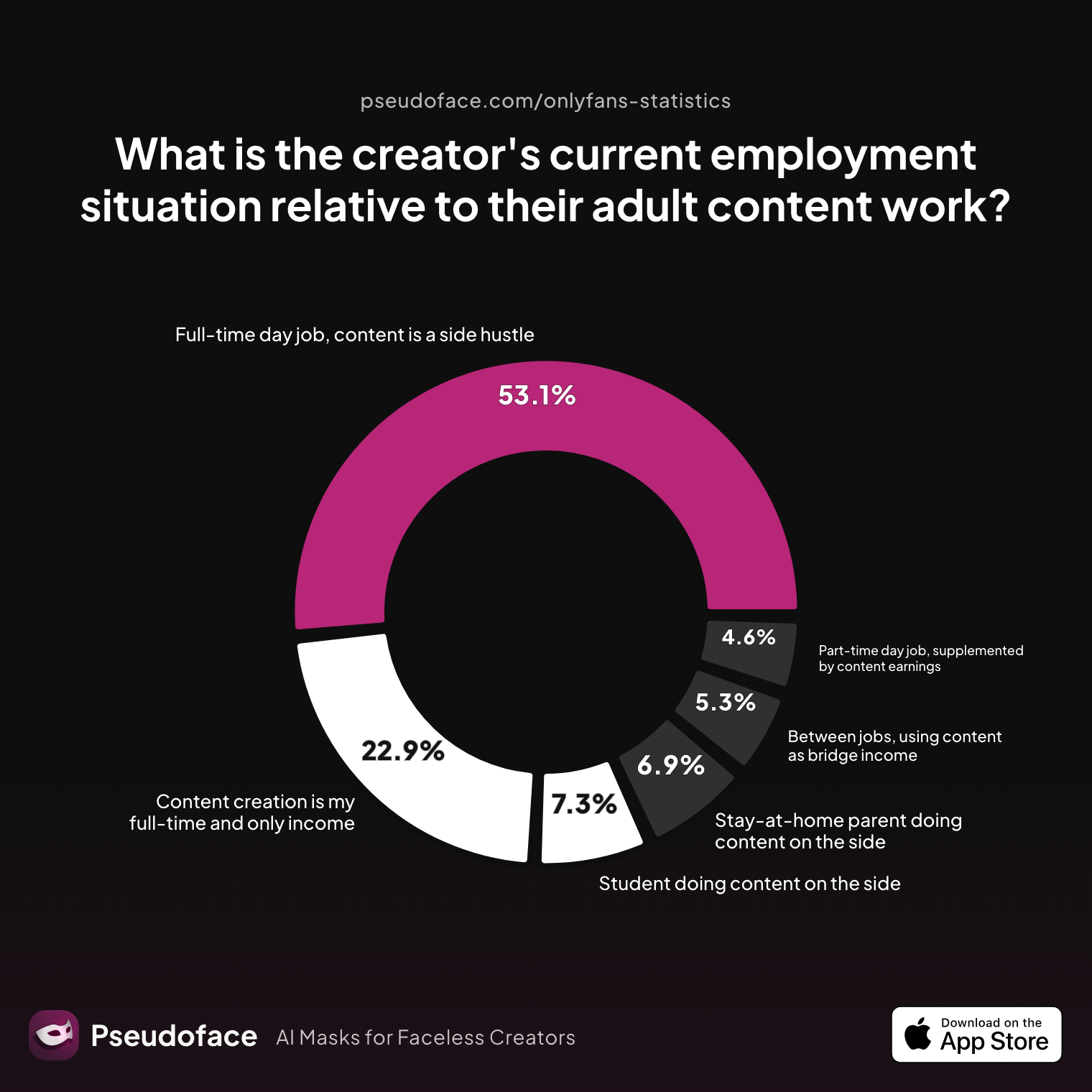
| Answer | Percentage |
|---|---|
| Between jobs, using content as bridge income | 5.34% |
| Content creation is my full-time and only income | 22.90% |
| Full-time day job, content is a side hustle | 53.05% |
| Part-time day job, supplemented by content earnings | 4.58% |
| Stay-at-home parent doing content on the side | 6.87% |
| Student doing content on the side | 7.25% |
Over 53% of creators keep their day job alongside OnlyFans, with just under a quarter going “full time” in their first year. For most, reliable income comes slowly, making it a side hustle before ever becoming a career.
As for launch strategies, the collective advice from experienced creators is remarkably consistent:
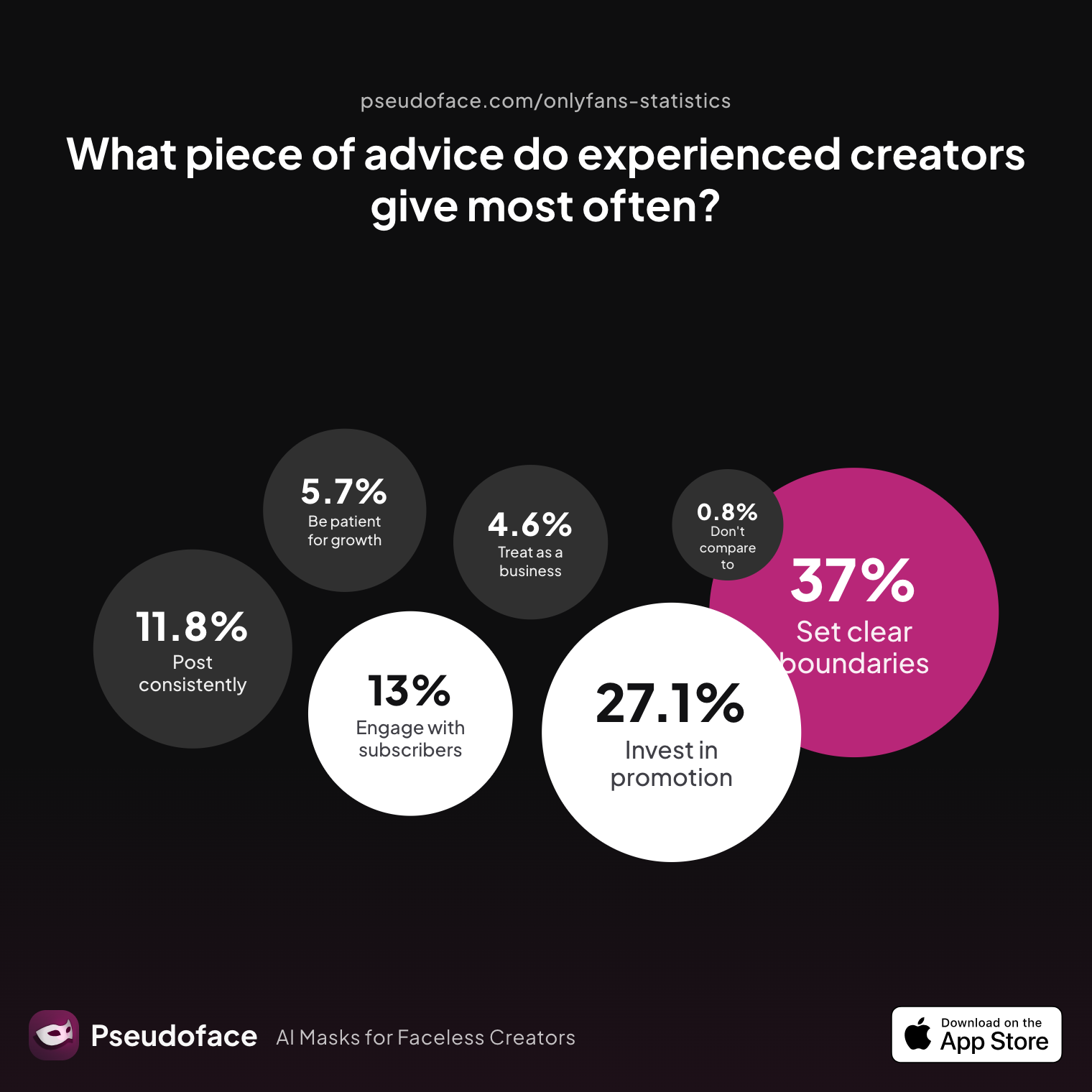
| Answer | Percentage |
|---|---|
| Be consistent — post on a regular schedule no matter what | 11.83% |
| Be patient — real growth takes months, not days | 5.73% |
| Do not compare yourself to top creators | 0.76% |
| Engage genuinely with your subscribers and build relationships | 12.98% |
| Invest heavily in promotion, not just content | 27.10% |
| Set clear boundaries early and stick to them | 37.02% |
| Treat it like a real business from day one | 4.58% |
The single most frequent advice is: set clear boundaries (37%) and focus on heavy promotion (27%) from day one. Consistency follows closely. The platform itself won’t send you fans. You need external traffic, whether from Reddit, Twitter/X, TikTok, or targeted Discords.
Open thread on Redditr/onlyfansadvice
u/Trixiefax
Use the queue to schedule posts and messages.
The consensus as of mid-2025: soft-launch your page before “going public” on socials, so that your wall already has content when first fans arrive. Cross-promo works best when coordinated with new posts and intro offers.
How do you pick the right promotion channels? Let’s weigh what works for day-one discovery in 2026.
Promotion Channels Compared: Start OnlyFans and Make Money by Picking the Right Platforms
For new creators in the US, OnlyFans is not a discovery engine: almost no organic traffic will find you without smart, upfront promotion elsewhere. The question isn’t whether to promote—it’s where your first fans will realistically come from.
Reddit, Twitter/X, and TikTok are the undisputed top of the promo funnel for beginners. Discord and niche adult platforms carry conversion potential, but account bans and strict content rules mean you need to tread carefully. Instagram is a high-risk, low-reward option for most—account suspensions for even “suggestive” promo content are common.
Open thread on Redditr/onlyfansadvice
u/Ancient-Jellyfish163
You don’t need a face to brand yourself-build a simple repeatable system and hit publish daily. ... For TikTok, start messy. Shoot torso/hands POV, add a short text hook, and batch 10–15 clips in under an hour. ... Branding: one prop (mask/choker), one light color, subtle watermark. Safety: strip EXIF, hide room details...
Open thread on Redditr/onlyfansadvice
u/Ok_Version_4128
I also haven't found many subreddits for couples that don't have so many requirements for posting (so if anyone has any to recommend, I'd appreciate it), and last week I lost my other Reddit account for reasons I don't know, and I had to make a new one, so that's something against advertising myself.
Best practice: choose 1–2 promo platforms that align with your privacy needs (anonymous Reddit is popular for “faceless” marketing), and build a basic Linktree to funnel traffic to your OnlyFans page. Batch your promo content just like your paid posts and schedule launches to sync up with your first wall posts.
Open thread on Redditr/onlyfansadvice
u/Moneyovermadness
LEVELS!!!!!! Everything should be a different level ... My marketing content is boobs and I wear my panties. My paid timeline is full nude ... Your first level might be full nude, marketing material… Then on your timeline, you do penetration content teasers… Then your PPV might be the full videos As long as your subscriber is getting something at every new level, you’re fine
Set clear differences between promo and paywalled content from the start—never post your best material for free, but always give enough in previews and teasers to attract real buyers.
Ready for the final gut check? Let’s recap with the ultimate prelaunch checklist.
Final Prelaunch Checklist: How to Start an OnlyFans for Beginners—Your Last-Minute Double Check
Before you flip the switch and make your page visible, pause for a methodical review. Dozens of hours of Reddit wisdom—and the hard lessons of seasoned creators—say: regret comes from skipping these basics, not overinvesting in “extras.”
Quick Master Checklist:
- Dedicated email address and new phone number for your creator identity.
- Legal government photo ID ready and verified (name/address must match your account).
- Bank account or payment method set up separate from your personal life.
- Pseudonym chosen and privacy plan (face/no-face, masking, geo-blocking) written down.
- 8–20 core pieces of content batched and queued, with backups organized.
- Bio and pricing model drafted—clarity on what subs get, and what is for promo only.
- Promotion channel selected and at least 3–5 pieces of intro content scheduled.
- Limits and boundaries documented—for both content and personal comfort.
- Launch messages, intro DMs, and subscriber response templates ready.
- Cloud storage or external drive set up and labeled.
Creators report that taking an extra week to prep this list yields lower stress, fewer privacy mistakes, and faster day-one subscriber wins. Your future self—and your future earnings—will thank you.
FAQ: Your OnlyFans Prelaunch Questions, Answered
What documents do I need to start an OnlyFans account as a US citizen?
You need an unexpired government-issued photo ID (passport or driver’s license), plus a selfie that matches your ID closely and a physical address that matches your account details. Most failed verifications on OnlyFans result from blurry photos or mismatched information; avoid student IDs, work badges, or any non-government docs.
Can I stay anonymous when starting an OnlyFans, and how do I do it?
Yes, you can remain anonymous to subscribers by using a pseudonym, never showing your face, and masking tattoos or unique features; however, you must use your real identity for OnlyFans verification. Best practice is to combine a creative handle with privacy tactics like geo-blocking, EXIF data removal, and separate communication channels.
How much content should I have ready before launching my OnlyFans page?
Aim for 8–20 queued main posts plus 3–5 promo pieces; successful creators often batch twice as much but stress that consistent daily posting is more important than raw volume.
What’s the best equipment setup for new OnlyFans creators?
Start with your phone, a ring light, and cheap/free editing apps; only invest in pro cameras or microphones after you’re earning steady income and enjoy content creation.
What social media is most effective for promoting a new OnlyFans account?
Reddit and Twitter/X are the highest-converting promotion channels for new US creators; TikTok works well for faceless niche creators, while Instagram is often too risky for adult promo.
How do I separate my OnlyFans business from my personal life and bank account?
Open a new email and phone number for your creator identity, and—if possible—a separate checking account; this keeps payment, taxes, and privacy far cleaner.
Should I set my OnlyFans page to free or paid at the start?
Most beginners benefit from a “soft launch” (first week free or discounted) to attract early subs, but don’t stay free forever—lock your best content behind a realistic paywall and upsell via DMs.
How long before I start making real income on OnlyFans?
Most new creators take 2–6 weeks to see their first real payouts, with steady growth (to $500+/month) usually taking two to four months—provided you’re posting and promoting consistently.
What is the biggest mistake new creators wish they could avoid?
Rushing in without a privacy plan, dedicated email, banking separation, and a content buffer is the single biggest regret reported by creators in 2025–2026 Reddit data.
As you prep to hit “launch,” remember: it’s not the fanciest camera or the racy content that sets you up for success. It’s boundaries, workflow, and the confidence that you’re building something sustainable—and safe—by design. Take your time, double-check your setup, and when you’re ready, make your debut count.


